


Tulsa World: Local News
3.6136.00 Reviews
App Specs
- Version
- 9.22
- Updated On
- License
- Free
- Downloads
- 10,000+
- Developer
- BH Media Group Inc.
- Categories
- News & Magazines
- Platform
- Android
Screenshots


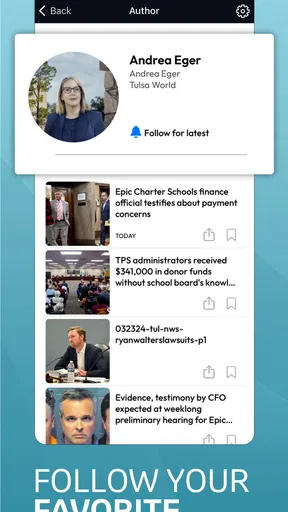
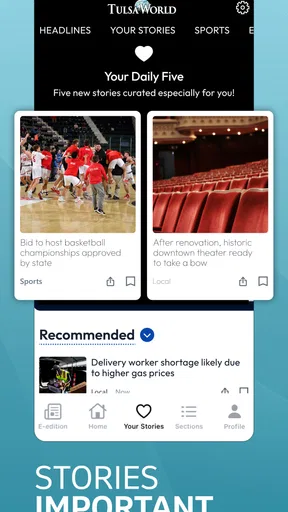
 Analysis by AppCompare
I approached Tulsa World: Local News as a reader who wants dependable northeastern Oklahoma coverage without sorting through a national news feed first. The app is published by BH Media Group Inc. and sits in the News & Magazines category, with a free download and an Everyone 10+ content rating. My first impression was that its value depends less on flashy presentation and more on whether local reporting fits naturally into your daily routine.
That distinction matters. A local newspaper app has a narrower job than a general news service: it should help me understand what is happening around Tulsa and nearby communities, while making it easy to decide what deserves my attention. I found the experience most useful when I treated it as a focused local reading tool rather than a complete replacement for every source of information on my phone.
How I judged its trust and everyday usefulness
The app has been available since July 20, 2011, and its current version is 9.22. It supports devices running Android 8.0 or later, so it is aimed at a broad range of still-used phones rather than only recent hardware. That long presence gives the product a recognizable newspaper identity, but it also makes me pay attention to how clearly the app explains its controls, account choices, and paid areas.
Its public reception is mixed rather than overwhelmingly positive: the app holds a 3.6 average from around 333 ratings, alongside around 136 written reviews. I would not treat that score as a verdict by itself. News apps often receive criticism for account handling, subscription prompts, notifications, or changes in layout, even when the reporting itself is useful. For me, the important question is whether the app lets a reader understand what is happening before making a commitment.
On that point, I recommend approaching the first session slowly. Read the opening screens, notice whether a sign-in or subscription request appears, and check what can be skipped. A reader who taps through setup quickly may end up accepting a workflow they did not need. The most practical trust habit here is simple: distinguish reading local headlines from creating an account or entering a purchase flow.
The app is free to install, but it includes in-app purchases ranging from $26.99 to $324.99 per item. That is the single detail I would want a new user to understand before spending time inside it. A free download does not automatically mean every article or newspaper feature is free. If a payment screen appears, I would read the wording carefully, check the billing option, and decide whether the access offered matches how often I actually read local news.
What the local focus changes
The strongest reason to choose this app is its geographic focus. National aggregators can show me a large volume of headlines, but they often bury municipal decisions, regional developments, weather-related concerns, and community stories beneath topics selected for a much wider audience. A Tulsa-centered publication gives those subjects a better chance of appearing in my normal reading path.
Worth Reading Before You Choose

EA SPORTS FC Mobile 26 Is a Bigger Football Game, but It Takes Time

Flipboard Shows What News Apps Must Do Beyond the Feed

Switching to Android Auto Means Rethinking Your Driving Routine

Google Calendar Makes a Crowded Week Easier to Manage

Ludo King Makes the Most of the Minutes Between Plans

Baby Panda World Brings Quick Play to Modern Phones, but Its Game Library Feels Busy
A realistic use case is a weekday morning when I have only a few minutes. Instead of opening a broad news app and scrolling through politics, entertainment, technology, and international updates, I can use this app to check the local picture first. I would look for stories that affect travel, schools, public services, neighborhood changes, and local events, then leave deeper reading for later. That workflow is more efficient for someone whose decisions are tied to northeastern Oklahoma.
It is also useful after work, when I want context rather than a stream of national breaking news. A local publication can help me follow an issue over several days, especially when a headline alone does not explain why it matters to residents. The trade-off is obvious: if I live outside the region or want worldwide coverage in one place, this narrow focus will feel limiting rather than convenient.
Controls, accounts, and the moments that deserve attention
My cautious approach to any news app is to separate visible user controls from assumptions about privacy. I do not consider a clean layout proof that an app collects little information, and I do not consider a permission prompt proof that it is unsafe. What matters is what the app actually shows me: whether choices are understandable, whether a control can be changed, and whether a purchase or account request is presented clearly.
For this app, I would pay particular attention during three moments: initial setup, notification requests, and any transition from free reading to paid access. Notifications can be useful for urgent local developments, but they can also turn a calm reading routine into repeated interruptions. I would begin with notifications disabled or limited if the system offers that choice, then enable them only if I find that timely local alerts genuinely help me.
The same principle applies to personalization. A personalized daily news source sounds appealing, but I would want to see what the app lets me control before relying on it. If topic or local-interest selections are available, I would choose only the subjects I expect to read. If the feed feels too broad, I would use the app as a publication front page instead of trying to force it into the role of a fully customized aggregator.
Account creation is another point where user agency matters. I would not create an account merely to browse if the app allows basic reading without one. If an account is required for a particular feature, I would first identify what that feature provides and whether it is worth adding another login to my routine. Keeping the account limited to a genuine need reduces clutter and makes it easier to remember why I signed up.
Payment deserves even more care. Because the purchase range reaches from $26.99 to $324.99 per item, I would never treat a large button or a short promotional message as enough information. I would look for the duration, renewal language, and cancellation route shown at the point of purchase. I would also avoid entering payment details while distracted, especially on a shared device. These are not complaints about the app alone; they are sensible checks for any publication with paid digital access.
Where the app fits beside other news choices
Compared with a general news aggregator, Tulsa World: Local News offers a more deliberate local identity. An aggregator is better when I want many sources, rapid topic switching, or an international overview. This app is better when I want one regional publication to act as my starting point. The choice is not about which format is universally superior; it is about whether local relevance is more valuable to me than breadth.
Compared with reading a newspaper website in a mobile browser, a dedicated app can feel more direct because it keeps the publication in its own space. The downside is that an app adds another installed product, another update cycle, and potentially another account or payment path to manage. If I read local stories only once a month, the browser may be the simpler option. If I check regional coverage every morning, the app is easier to justify.
Compared with social media, the app gives me a more intentional route to news. Social feeds are convenient for discovering stories, but their order can be shaped by engagement and by whatever people in my network are discussing. A newspaper app puts the publication itself at the center. I still would not use it as my only source for every claim, but I prefer it as a first stop when I want local reporting rather than reactions.
There is also a practical trade-off with the free model. Someone who only wants occasional headlines may find paid prompts frustrating, while a regular reader may consider paid access reasonable if the local coverage is central to their day. I would not subscribe on the first visit. I would spend several days checking how often I return, whether the available stories match my interests, and whether the reading experience earns a recurring place in my budget.
Small habits that make the experience better
My first useful tip is to create a short reading window instead of checking every notification immediately. Local news can be important without being urgent, and a scheduled visit helps me avoid turning the app into a constant interruption. I would scan the main feed, open only the stories relevant to my day, and leave opinion or background pieces for a quieter moment.
Second, I would use the app to build continuity around one local issue. Rather than judging a story from a single headline, I would return to the same subject over several days and compare how the reporting develops. This is where a regional publication can be more valuable than a fast-moving aggregator: local context becomes easier to notice when the same community issue remains visible.
Third, I would review the app after an update instead of assuming my preferred setup stayed unchanged. Version 9.22 is the current version, and updates can alter navigation, prompts, or notification behavior. After updating, I would revisit system notification settings and any in-app personalization controls. That takes less than a minute and prevents an old preference from silently shaping the new routine.
Fourth, I would keep purchase decisions separate from the emotional pull of a breaking local story. A dramatic headline can make immediate access feel essential, but I prefer to inspect the subscription terms once I am calm. If the app offers a choice between a one-time purchase and recurring access, I would compare that choice with my actual reading frequency rather than selecting the most prominent button.
Finally, I would treat the app as one layer of verification. Its regional focus makes it useful for discovering and following local developments, but important decisions may still require checking official notices or another reputable source. That is especially true for information involving safety, public services, travel, or deadlines. A local news app can improve awareness without replacing judgment.
Who should use it and who should pass
I think this app is a good match for residents of northeastern Oklahoma who want local news near the start of their daily reading routine. It is also suitable for former residents, family members, or people with ongoing ties to the Tulsa area who want a focused way to keep up. The free installation lowers the barrier to trying it, while the regional emphasis makes its purpose immediately clear.
I would be more hesitant to recommend it to someone who wants one app for national and international coverage, extensive customization across many publications, or a completely free reading experience. The in-app purchase range means cost should be considered before committing. I would also suggest a browser or broader aggregator to casual readers who rarely follow Tulsa-area stories and do not want another account or app to manage.
People who are especially careful about digital privacy should use the app with the same discipline they apply elsewhere: inspect visible permissions, decline optional prompts when appropriate, and read account and purchase screens before proceeding. I cannot responsibly turn a familiar newspaper brand into a guarantee about data practices. Trust should come from the choices and explanations presented on the device, not from assumptions about the developer.
My measured recommendation
After weighing the local usefulness against the account, notification, and payment moments, I see Tulsa World: Local News as a focused tool rather than an all-purpose news replacement. Its best quality is concentration: it points my attention toward northeastern Oklahoma instead of asking me to search through a huge national stream. That can save time and make local issues easier to follow.
Its weaker side is the need for careful reading around paid access and personal settings. The free label is helpful for trying the app, but the purchase range means I would not recommend tapping through checkout casually. I would also keep notifications selective and avoid creating an account until I understand what it adds to my routine.
My final advice is to install it if local coverage is a regular need, spend a few days testing the reading flow, and judge the value by how often the stories help you understand your own area. If that focus is exactly what you want, Tulsa World: Local News can become a sensible daily starting point. If you mainly want broad coverage, minimal account management, or no paid-access decisions, another news option will probably suit you better.
In short, I would recommend it cautiously and specifically: use it for regional awareness, keep your choices deliberate, and treat the app’s visible controls as the basis for trust. Its 10K+ installs show that it has found an audience, but the more important question for me is personal fit. For a reader who values Tulsa-area reporting, that fit may be strong; for everyone else, the narrow scope is the reason to look elsewhere.
Pros
- Covers Tulsa-area politics
- schools
- crime
- and community developments.
- Breaking news alerts help readers stay informed about important local events.
- Includes local sports coverage
- including high school and college teams.
- Offers regional weather updates useful for planning daily activities.
- A familiar source for readers who prefer established local journalism.
Cons
- Many full articles may require a paid subscription or account.
- Some content can feel heavily focused on the Tulsa metropolitan area.
- Frequent notifications may become distracting without careful customization.
- Advertising and promotional elements may affect the reading experience.
- Coverage depth and update speed can vary between news categories.
FAQs for Tulsa World: Local News
What is Tulsa World: Local News?
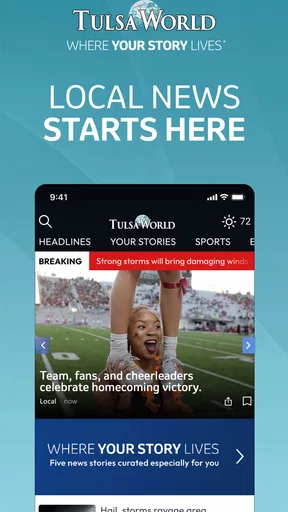
Tulsa World: Local News is a mobile news app focused on Tulsa and the surrounding Oklahoma communities. After installing it, users can browse local headlines, breaking news, politics, crime, business, sports, entertainment, weather, and community coverage in one place. It is designed for readers who want convenient access to reporting from Tulsa World while using a phone or tablet.
Is Tulsa World: Local News free to download and use?
The app can generally be downloaded without an upfront charge, but access to all of its journalism may depend on the publisher’s subscription or digital-access policy. Some articles and features may be available to everyone, while frequent reading or premium content can require registration or a paid plan. Check the current in-app terms and subscription details before committing to payment.
What kind of news and features does the app provide?
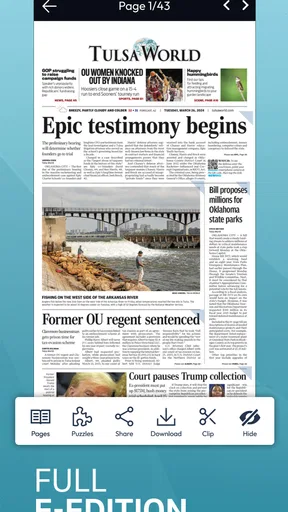
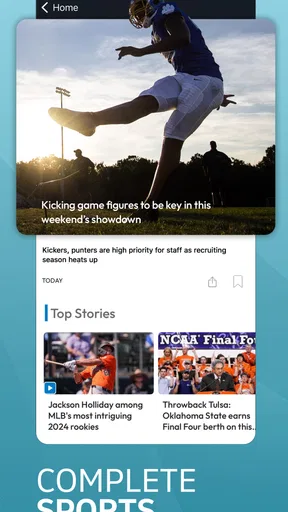
The application typically brings together local reporting, breaking-news updates, sports coverage, weather information, opinion pieces, business stories, and other topics relevant to the Tulsa area. Depending on the current version, it may also offer customizable alerts, saved or bookmarked articles, a personalized news feed, multimedia content, and access to digital editions or subscriber-only material.
Does the app send breaking-news notifications?
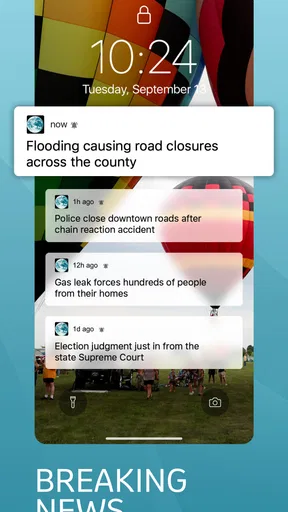
Tulsa World: Local News may support push notifications for important local developments, major headlines, sports updates, weather events, or other selected topics. Notifications can be useful when you want fast information without opening the app, although they may become frequent during busy news periods. You can usually manage notification categories through the app settings and your device’s system settings.
What should I know about privacy, subscriptions, and app permissions?
Before downloading, review the app’s privacy policy and the permissions requested on your Android or iOS device. A news app may collect information related to usage, device performance, advertising, subscriptions, and notification preferences. If you subscribe through the app store, billing and cancellation are handled according to Apple or Google rules. Always confirm renewal terms and cancel before the next billing date if needed.


